


返回模板
Next.js Formspree 入门模板
集成 Formspree 的 Next.js 联系表单入门模板,轻松处理表单提交。

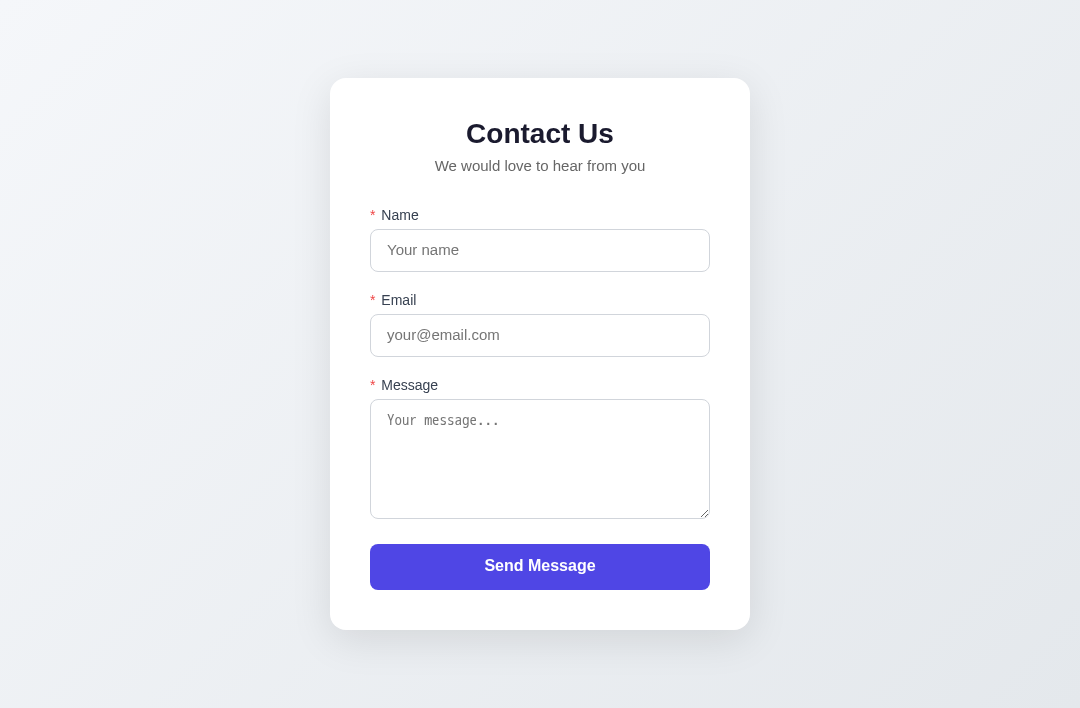
Next.js & Formspree 模板
基于 Next.js 和 Formspree 的联系表单模板。
概述
开箱即用的联系表单,支持客户端验证和 Formspree 表单服务,适合作为项目起点或参考示例。
特性
- 响应式表单界面
- 客户端验证(必填项 + 邮箱格式)
- Formspree 表单提交
技术栈
- 框架: Next.js 16
- 运行时: React 19
- 语言: TypeScript
- 表单服务: @formspree/react
项目结构
next-formspree-template/
├── app/
│   ├── components/
│   │   └── ContactForm.tsx   # 表单组件
│   ├── favicon.ico
│   ├── globals.css
│   ├── layout.tsx
│   └── page.tsx
├── public/
├── .env.example
├── next.config.ts
├── package.json
└── tsconfig.json
快速开始
环境要求
- Node.js 18+
安装步骤
# 克隆项目
git clone <repository-url>
cd next-formspree-template

# 安装依赖
npm install

# 配置环境变量
cp .env.example .env.local
编辑 .env.local,填入 Formspree 表单 ID:
NEXT_PUBLIC_FORM=your_form_id
获取 Formspree 表单 ID
- 注册 Formspree
- 新建表单,复制表单 ID(如
xabcdefg) - 填入
.env.local
开发调试
npm run dev
构建部署
npm run build
静态导出
项目默认配置为静态导出模式:
// next.config.ts
const nextConfig: NextConfig = {
  output: "export",
};
构建后生成纯静态文件,可部署到任意静态托管平台。
许可证
MIT
一键部署
