


返回模板
Go HttpRouter - EdgeOne Pages 云函数
基于 HttpRouter 的高性能 Go 路由——零分配路由,支持命名参数和通配符。
| 框架 | Go |
| 应用场景 | 快速开始,Cloud Functions |

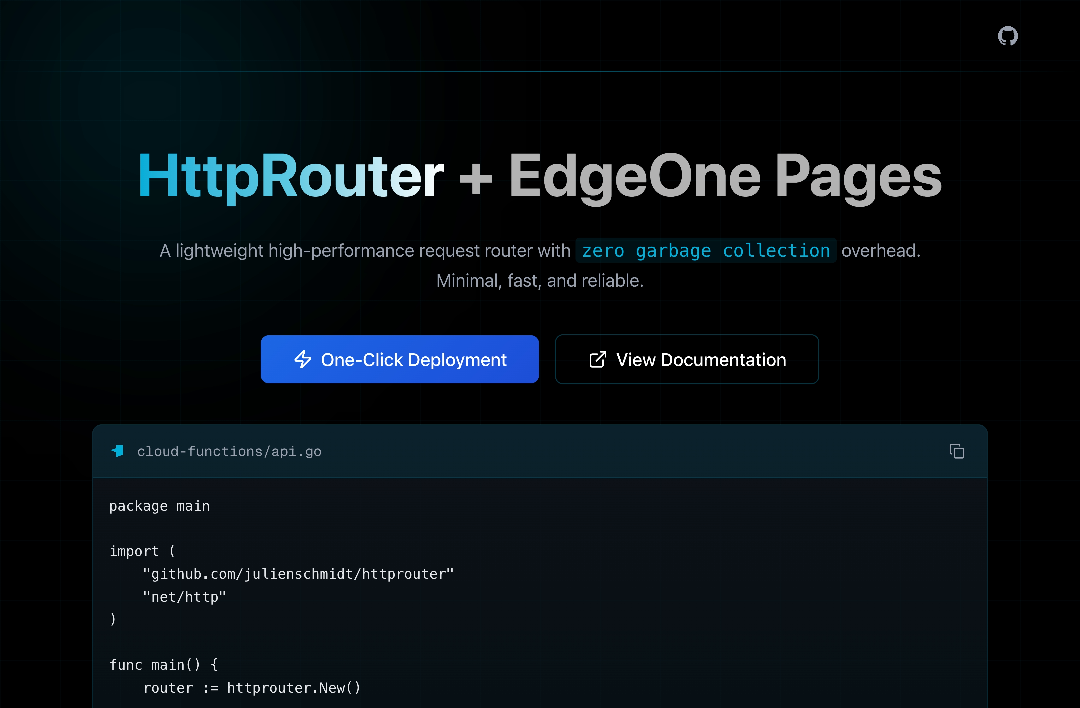
Go Cloud Functions on EdgeOne Pages - HttpRouter 框架
一个基于 Next.js + Tailwind CSS 前端和 Go HttpRouter 后端的全栈演示应用,展示如何在 EdgeOne Pages 上使用 HttpRouter 部署 Go 云函数,支持 RESTful API 路由。
🚀 特性
- HttpRouter 集成:极速零内存分配 HTTP 路由器,支持命名参数和通配路由
- 现代化 UI 设计:深色主题搭配 #1c66e5 点缀色,响应式布局配合交互元素
- 交互式 API 测试:内置 API 端点测试面板 — 点击 "Call" 实时测试每个 REST 端点
- RESTful API 设计:完整的 Todo CRUD 操作,使用清晰的路由定义(
/api/todos) - TypeScript 支持:前端完整的类型定义和类型安全
🛠️ 技术栈
前端
- Next.js 15 - React 全栈框架(支持 Turbopack)
- React 19 - 用户界面库
- TypeScript - 类型安全的 JavaScript
- Tailwind CSS 4 - 实用优先的 CSS 框架
UI 组件
- shadcn/ui - 高质量 React 组件
- Lucide React - 精美的图标库
- class-variance-authority - 组件样式变体管理
- clsx & tailwind-merge - CSS 类名合并工具
后端
- Go 1.21 - 云函数运行时
- HttpRouter v1.3 - 高性能零内存分配 Go HTTP 路由器
📁 项目结构
go-httprouter/
├── cloud-functions/                # Go 云函数源码
│   ├── api.go                     # HttpRouter 应用,包含所有 REST API 路由
│   ├── go.mod                     # Go 模块定义
│   └── go.sum                     # Go 依赖校验和
├── src/
│   ├── app/                       # Next.js App Router
│   │   ├── globals.css           # 全局样式(深色主题)
│   │   ├── layout.tsx            # 根布局
│   │   └── page.tsx              # 主页面(API 测试界面)
│   ├── components/               # React 组件
│   │   └── ui/                   # UI 基础组件
│   │       ├── button.tsx        # 按钮组件
│   │       └── card.tsx          # 卡片组件
│   └── lib/                      # 工具函数
│       └── utils.ts              # 通用工具(cn 辅助函数)
├── public/                        # 静态资源
│   ├── eo-logo-blue.svg          # EdgeOne 标志(蓝色)
│   └── eo-logo-white.svg         # EdgeOne 标志(白色)
├── package.json                   # 项目配置
└── README.md                     # 项目文档
🚀 快速开始
环境要求
- Node.js 18+
- pnpm(推荐)或 npm
- Go 1.21+(本地开发需要)
安装依赖
pnpm install
# 或
npm install
开发模式
edgeone pages dev
访问 http://localhost:8088 查看应用。
构建生产版本
edgeone pages build
🎯 核心功能
1. HttpRouter REST API 路由
所有 API 端点定义在单个 cloud-functions/api.go 文件中,使用 HttpRouter 的显式方法路由:
| 方法 | 路由 | 说明 |
|---|---|---|
| GET | / | 欢迎消息及路由列表 |
| GET | /health | 健康检查 |
| GET | /api/todos | 获取待办事项列表 |
| POST | /api/todos | 创建新待办事项 |
| GET | /api/todos/:id | 根据 ID 获取待办事项 |
| PATCH | /api/todos/:id/toggle | 切换待办事项完成状态 |
| DELETE | /api/todos/:id | 删除待办事项 |
2. 交互式 API 测试面板
- 7 个预配置的 API 端点卡片,带 "Call" 按钮
- 实时 JSON 响应展示
- POST 请求支持预填充 JSON Body
- 加载状态和错误处理
3. HttpRouter 框架约定
Go 后端使用 HttpRouter 的标准模式 — 显式方法路由和命名参数:
package main

import (
    "github.com/julienschmidt/httprouter"
    "net/http"
    "encoding/json"
)

func main() {
    router := httprouter.New()

    router.GET("/health", func(w http.ResponseWriter, r *http.Request, _ httprouter.Params) {
        w.Header().Set("Content-Type", "application/json")
        json.NewEncoder(w).Encode(map[string]string{
            "status":    "ok",
            "framework": "httprouter",
        })
    })

    router.GET("/api/todos", listTodos)
    router.POST("/api/todos", createTodo)
    router.GET("/api/todos/:id", getTodo)
    router.PATCH("/api/todos/:id/toggle", toggleTodo)
    router.DELETE("/api/todos/:id", deleteTodo)

    http.ListenAndServe(":9000", router)
}
4. 数据模型
type Todo struct {
    ID        int       `json:"id"`
    Title     string    `json:"title"`
    Completed bool      `json:"completed"`
    CreatedAt time.Time `json:"createdAt"`
}
🔧 配置说明
Tailwind CSS 配置
项目使用 Tailwind CSS 4,支持自定义颜色变量:
:root {
  --primary: #1c66e5;        /* 主色调 */
  --background: #000000;     /* 背景色 */
  --foreground: #ffffff;     /* 前景色 */
}
组件样式
使用 class-variance-authority 管理组件样式变体,支持多种预设样式。
📚 文档入口
- EdgeOne Pages 官方文档:https://pages.edgeone.ai/document/go
- HttpRouter 文档:https://github.com/julienschmidt/httprouter
- Next.js 文档:https://nextjs.org/docs
- Tailwind CSS 文档:https://tailwindcss.com/docs
🚀 部署指南
EdgeOne Pages 部署
- 将代码推送到 GitHub 仓库
- 在 EdgeOne Pages 控制台创建新项目
- 选择 GitHub 仓库作为源
- 配置构建命令:
edgeone pages build - 部署项目
Go HttpRouter 云函数配置
在项目根目录创建 cloud-functions/api.go,编写 HttpRouter 应用:
package main

import (
    "github.com/julienschmidt/httprouter"
    "encoding/json"
    "net/http"
)

func main() {
    router := httprouter.New()

    router.GET("/hello", func(w http.ResponseWriter, r *http.Request, _ httprouter.Params) {
        w.Header().Set("Content-Type", "application/json")
        json.NewEncoder(w).Encode(map[string]string{
            "message": "Hello from HttpRouter on EdgeOne Pages!",
        })
    })

    http.ListenAndServe(":9000", router)
}
部署

📄 许可证
本项目采用 MIT 许可证 - 查看 LICENSE 文件了解详情。